WorkshopDB Book a demo
Back to home

The software

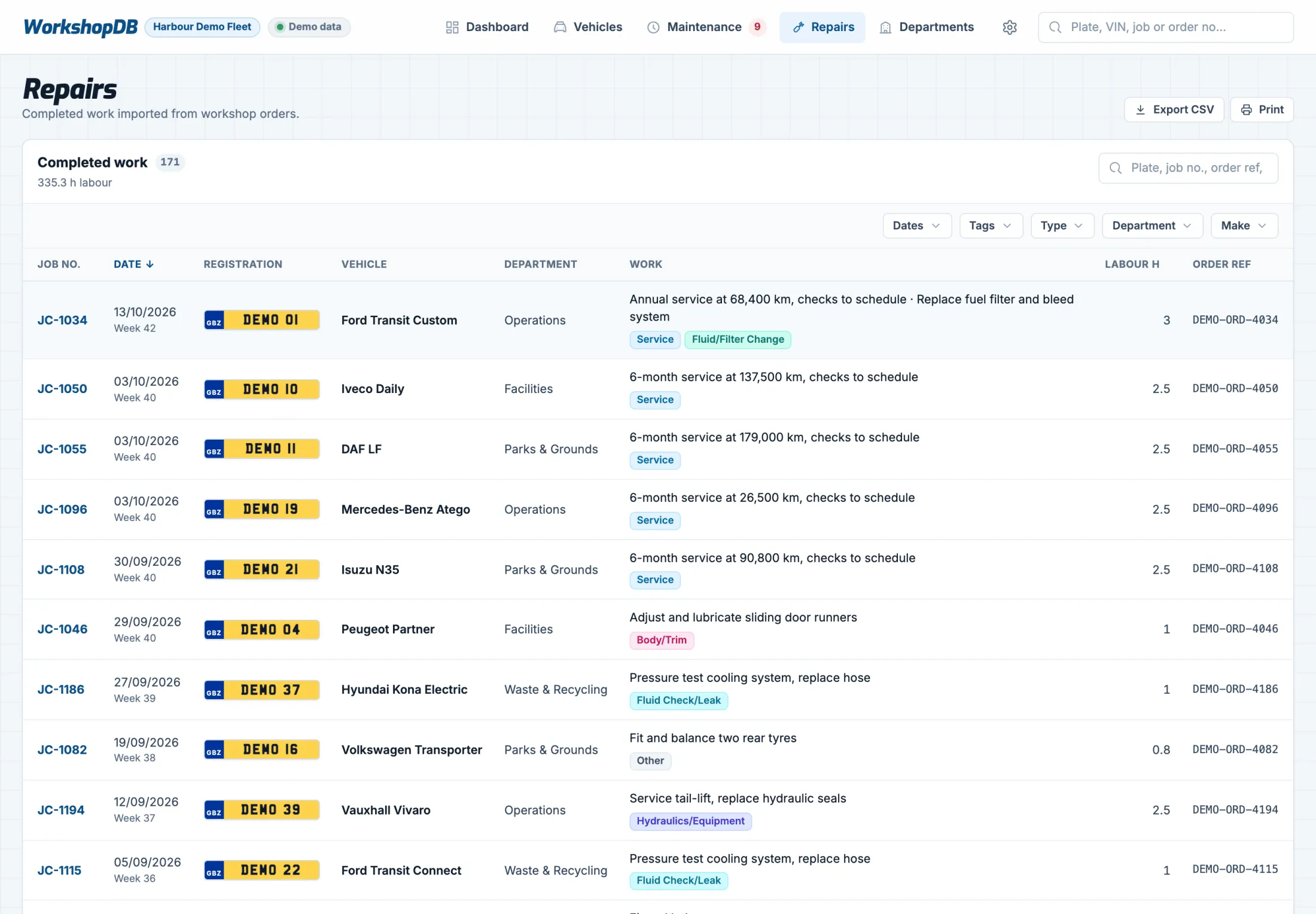
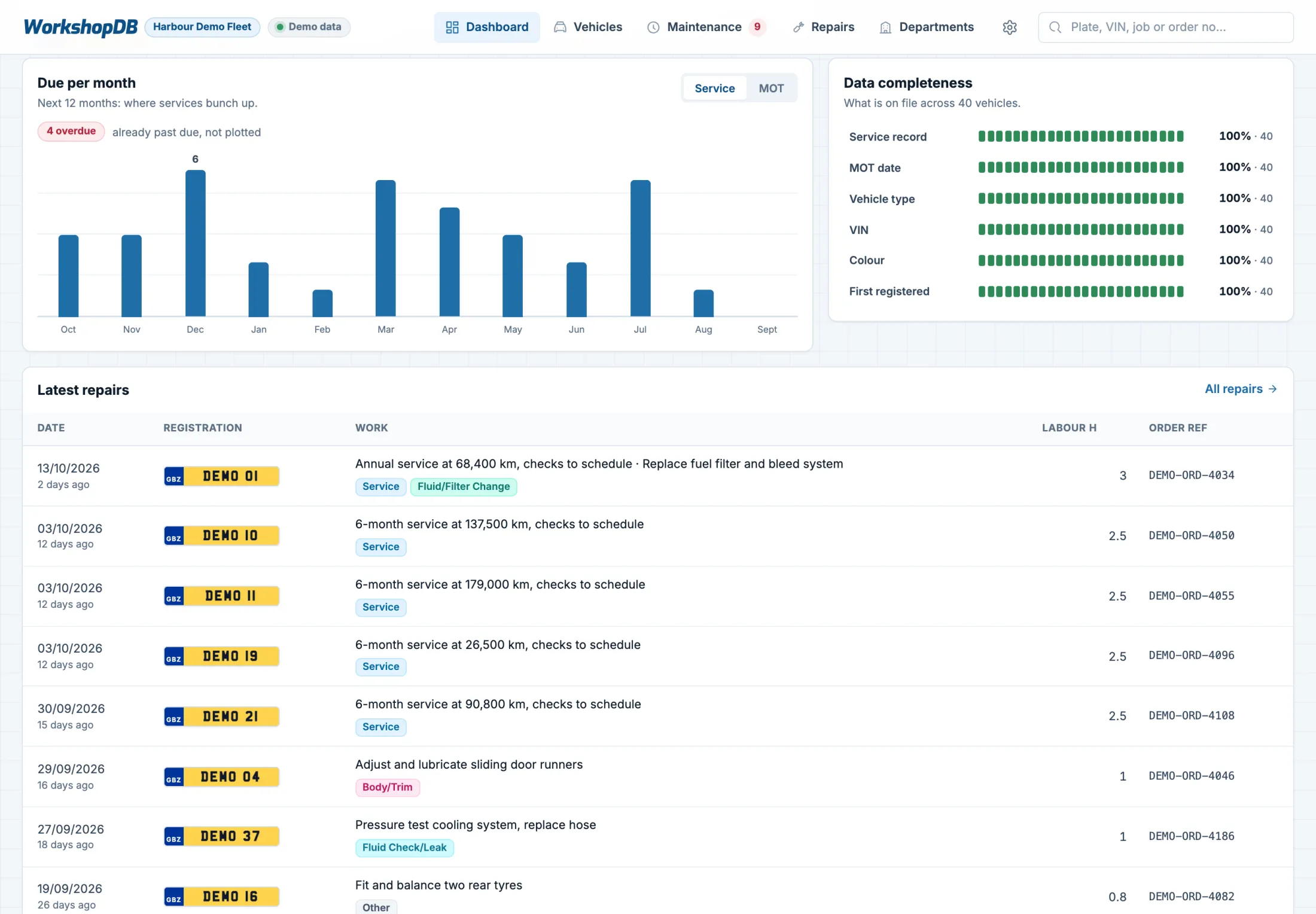
Real screens from WorkshopDB, shown with a fictional demo fleet.

Every vehicle on record.

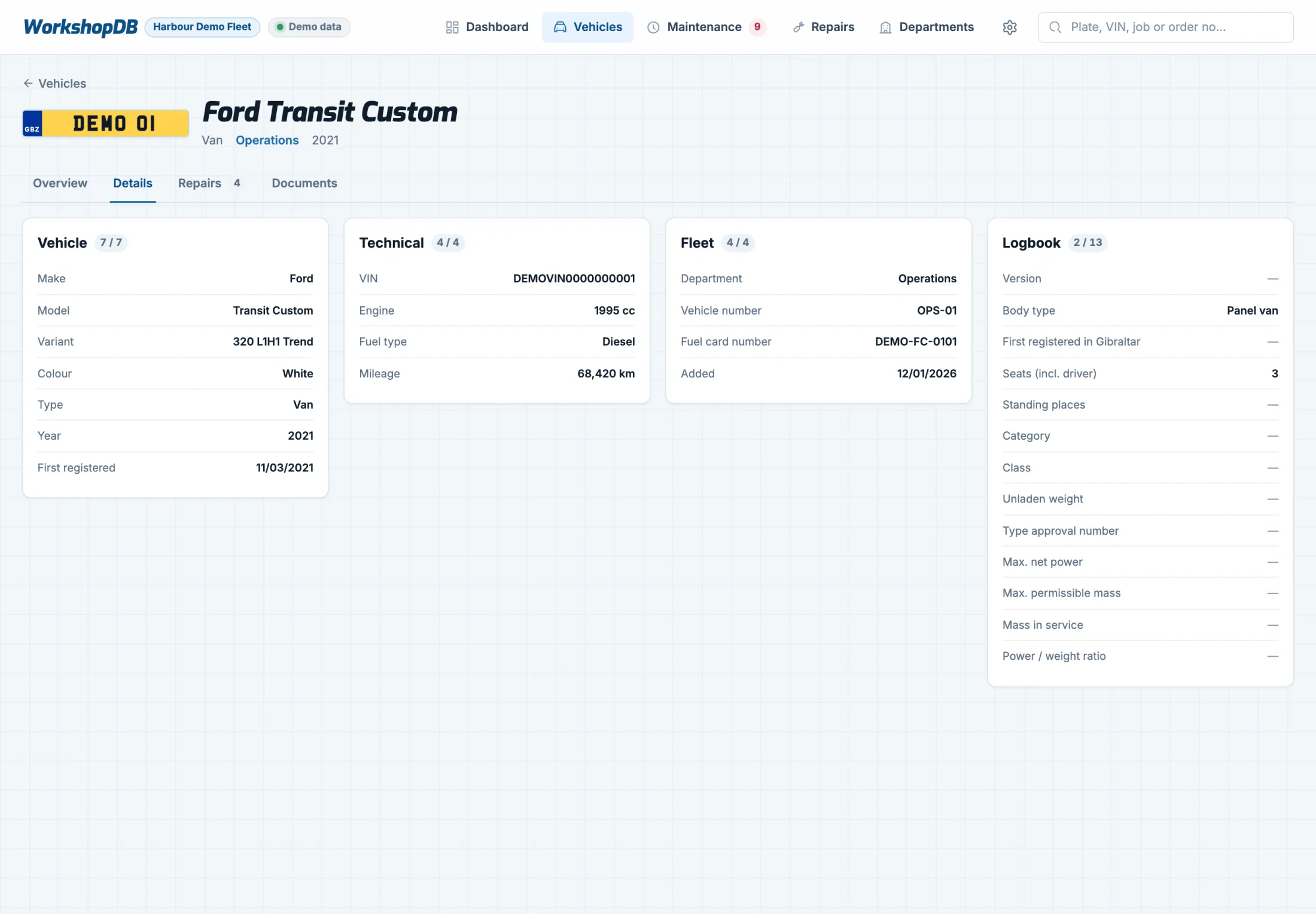
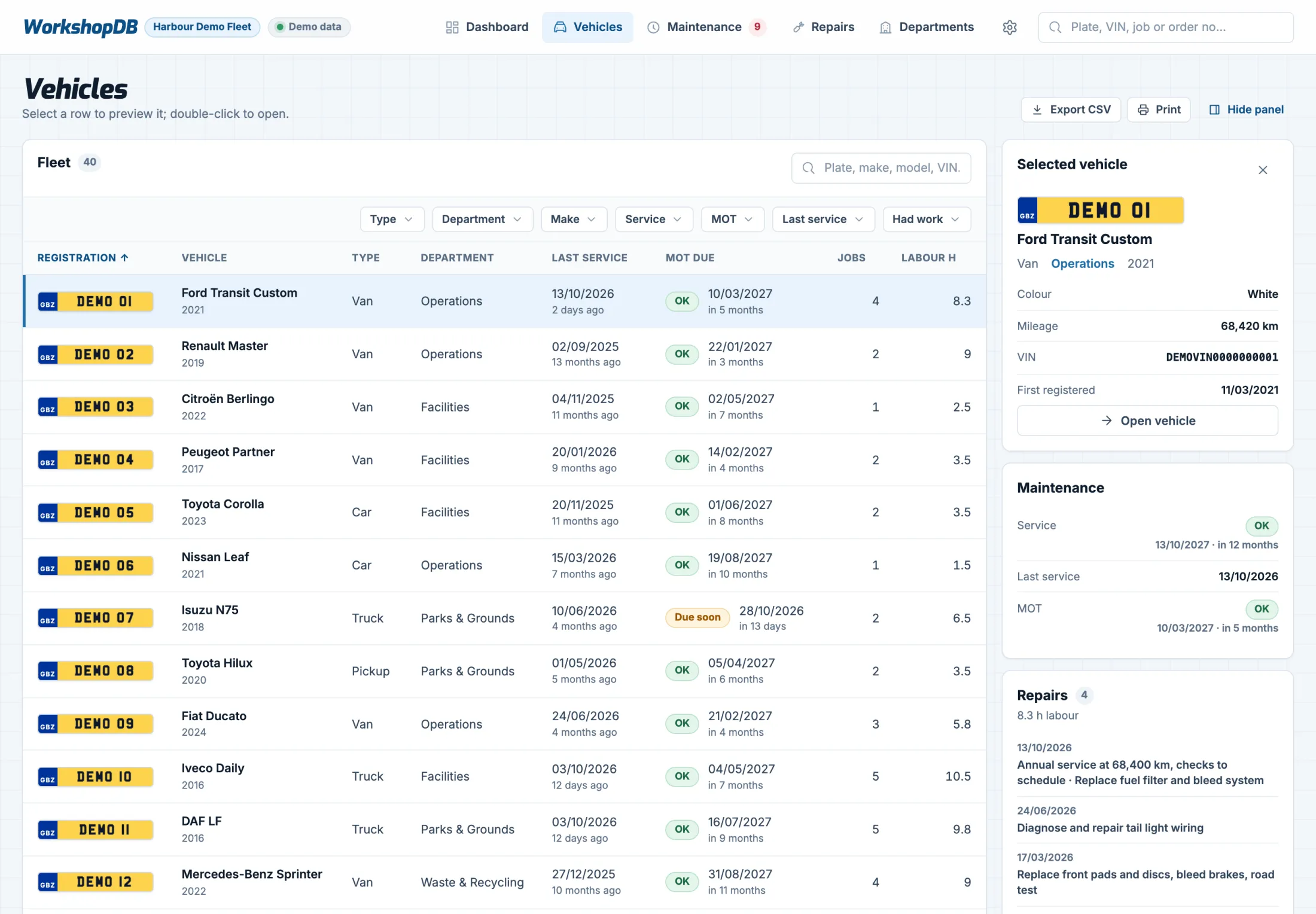
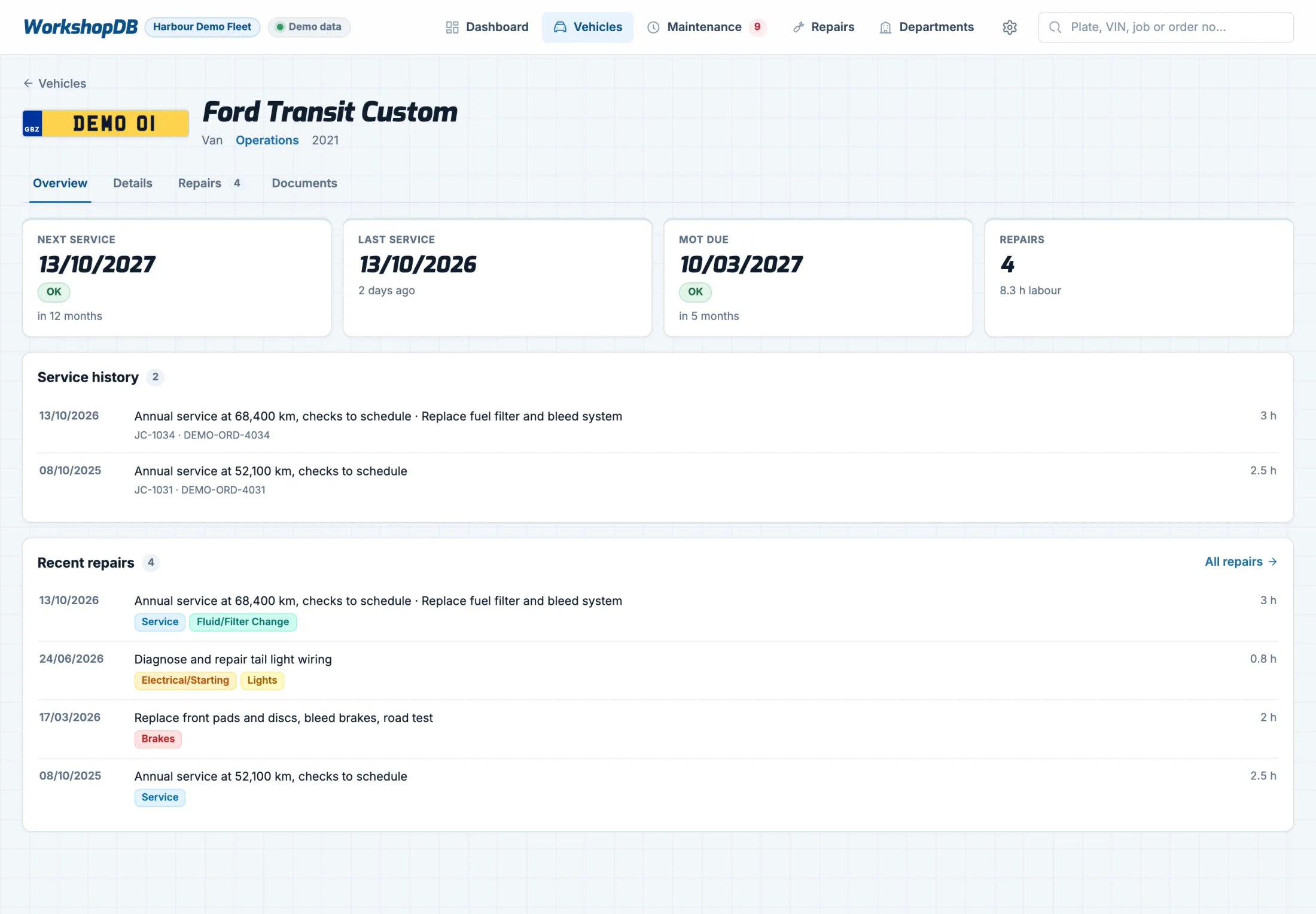
Each vehicle has one record: its details from the registration document, its department and fleet number, and its full service and repair history on one page.

  • Next and last service, and MOT due, at the top
  • Missing information is flagged, not hidden
  • Repairs tagged by category
Vehicle page for a fictional Ford Transit Custom showing next service, last service, MOT due and its service history.

Smart upload. Documents in one place.

Upload a registration document and the vehicle details are read for you. Upload a completed job sheet and it’s turned into a job card for that vehicle. Nothing is saved until you’ve checked it.

  • Registration documents, MOT certificates and job sheets kept with the record
  • Duplicates are spotted, so the same job is never added twice
  • Your existing records brought in for you at the start

Check the details

Make
Ford
Model
Transit Custom
Fuel
Diesel
First registered
12/03/2021
Engine
1995 cc
Colour
White
Save to vehicle
Illustration with fictional details.

Every job, on the record.

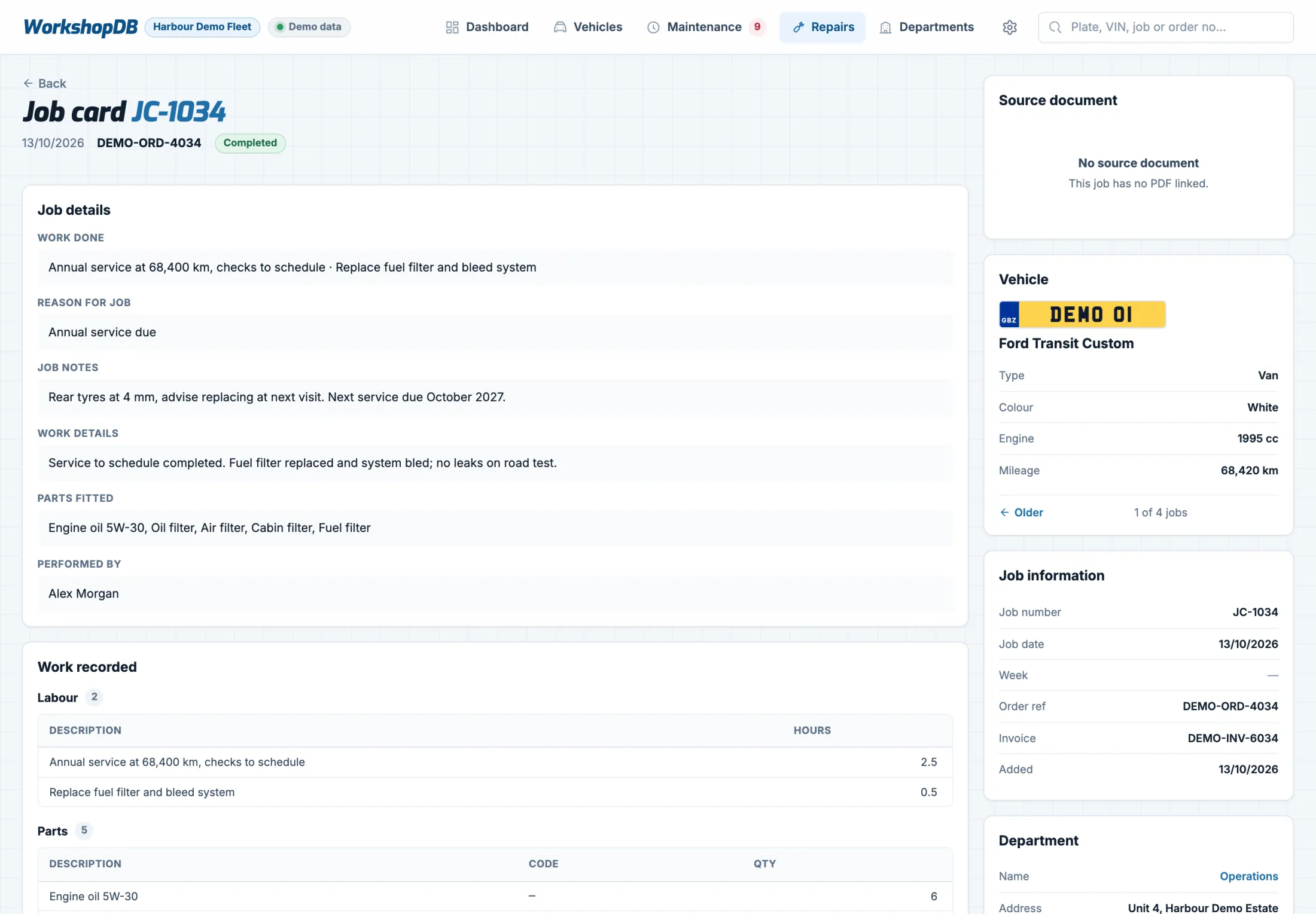
Job cards hold the work done, the reason for it, the parts fitted and the labour hours, linked to the vehicle’s history and its order and invoice references.

  • The original job sheet opens from the job card
  • Step through a vehicle’s jobs, newest first
  • Every list exports to CSV or prints
Completed job card for a fictional annual service, listing work done, job notes, parts fitted and the mechanic.

Service and MOT alerts.

Because the history is on record, WorkshopDB knows what each vehicle needs next. Service and MOT intervals are set by vehicle type and can be changed for any vehicle.

  • Send a reminder email to the department, previewed before it goes
  • Every email sent is logged, with when it went
  • Filter by status, type or department
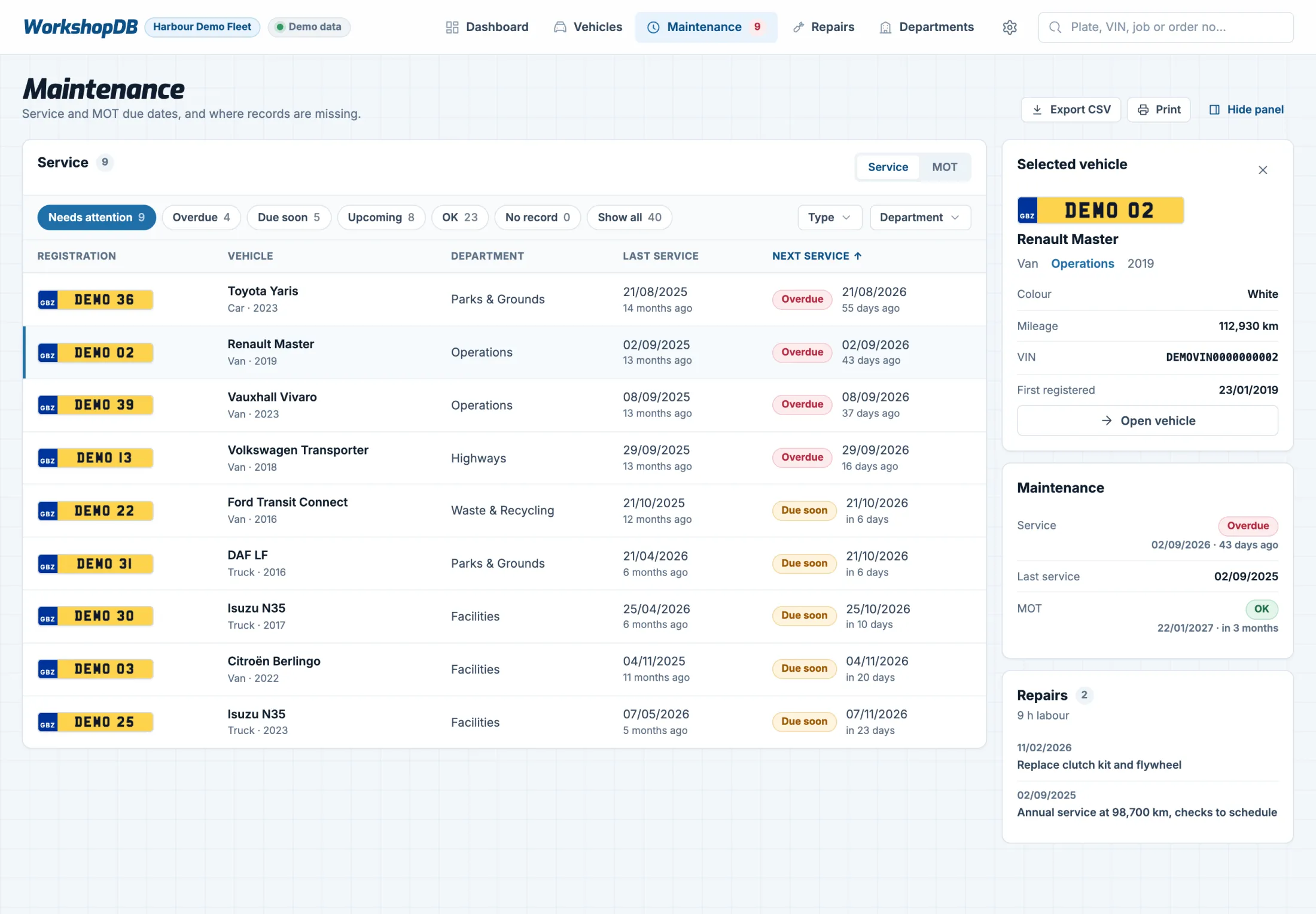
Maintenance list of fictional vehicles with overdue and due-soon services, and the selected vehicle’s details in a side panel.

Know who to tell.

Vehicles are grouped by the department or site responsible for them, each with its contacts, so reminders go to the right person.

  • What’s due, per department
  • Addresses and contacts kept up to date in one place
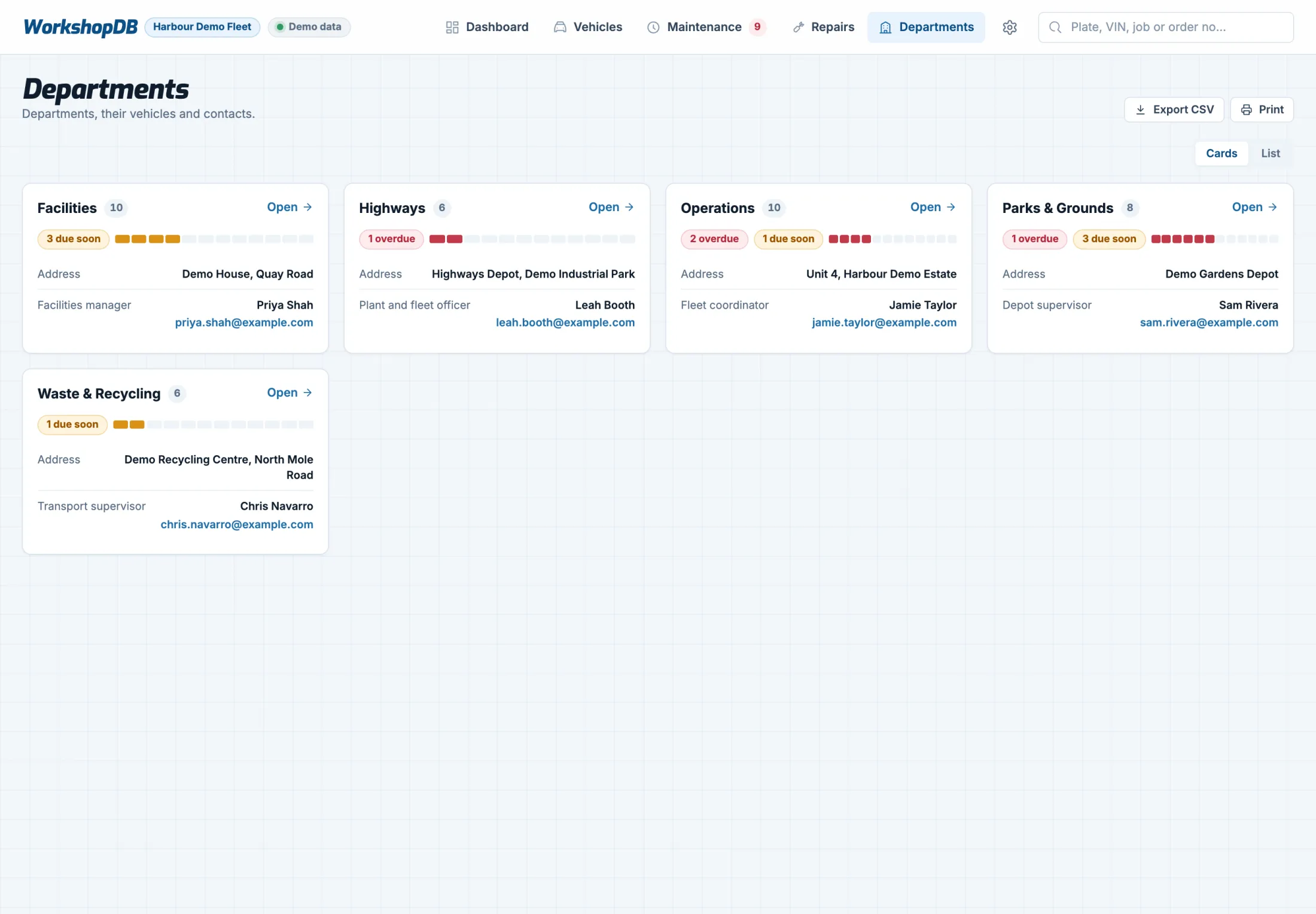
Department cards for a fictional fleet showing overdue and due-soon counts and each department’s contact.

A package built around your fleet.

Every fleet works differently. Tell us about your vehicles and how you track servicing today, and we’ll put together a package that fits.

Enquire about a package

A package can include

  • Bringing in your existing vehicles and service history
  • Set-up around your departments and vehicle types
  • Hosting, updates and backups
  • Ongoing support

Questions

Do we need to install anything?

No. WorkshopDB runs in an ordinary web browser.

Our records are in spreadsheets and paper. Is that a problem?

No, that’s the usual starting point. Set-up includes bringing that history in. Anything we can’t read reliably is flagged for a person to check.

What kinds of vehicles can it handle?

Cars, vans, pickups, trucks and minibuses. Service and MOT intervals are set by vehicle type, and any single vehicle can have its own.

What documents can we upload?

Registration documents, MOT certificates and completed job sheets, as PDFs or photos. Each one is kept with the vehicle or job it belongs to.

Does it record repairs as well as services?

Yes. Every job gets a job card with the work done, the parts fitted and the labour hours, tagged by category (brakes, tyres, electrical and so on) and kept in the vehicle’s history.

What if a vehicle can’t come in when it’s due?

Snooze the alert, or override the due date for that vehicle when plans change.

How does the department responsible find out?

Send them a service-due email straight from the vehicle’s alert. Each department has its own contact, and every email sent is logged.

Can it fit how our team works?

Fields, alerts, views and terminology can be adjusted to your organisation. Tell us how you work today and we’ll say plainly what fits and what doesn’t.
See it with a fleet like yours.

A 10-minute walkthrough using a fictional fleet, followed by questions about how you track servicing today.

Book a demo